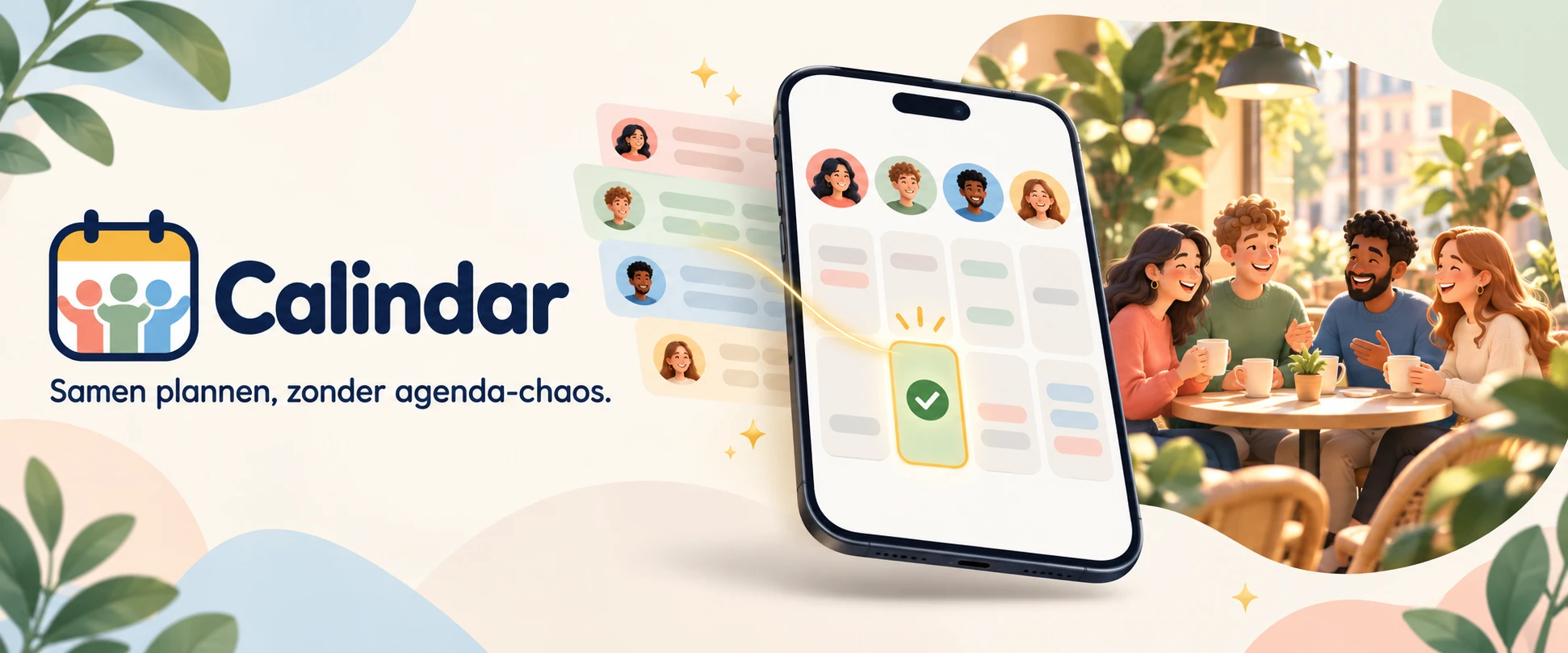
03 — Calindar
When is everyone free?
Calindar finds a time that works for everyone. Start a regular group or a one-off get-together and share the link. Everyone connects Google Calendar, Outlook or their phone's calendar, or marks their availability manually. Calindar shows which evenings and weekend days work best.
- Role
- Designer & full-stack developer
- Period
- October 2026
- Platform
- Web · iOS · Android
- Status
- Testing · calindar.nl
The problem
Making plans takes days.
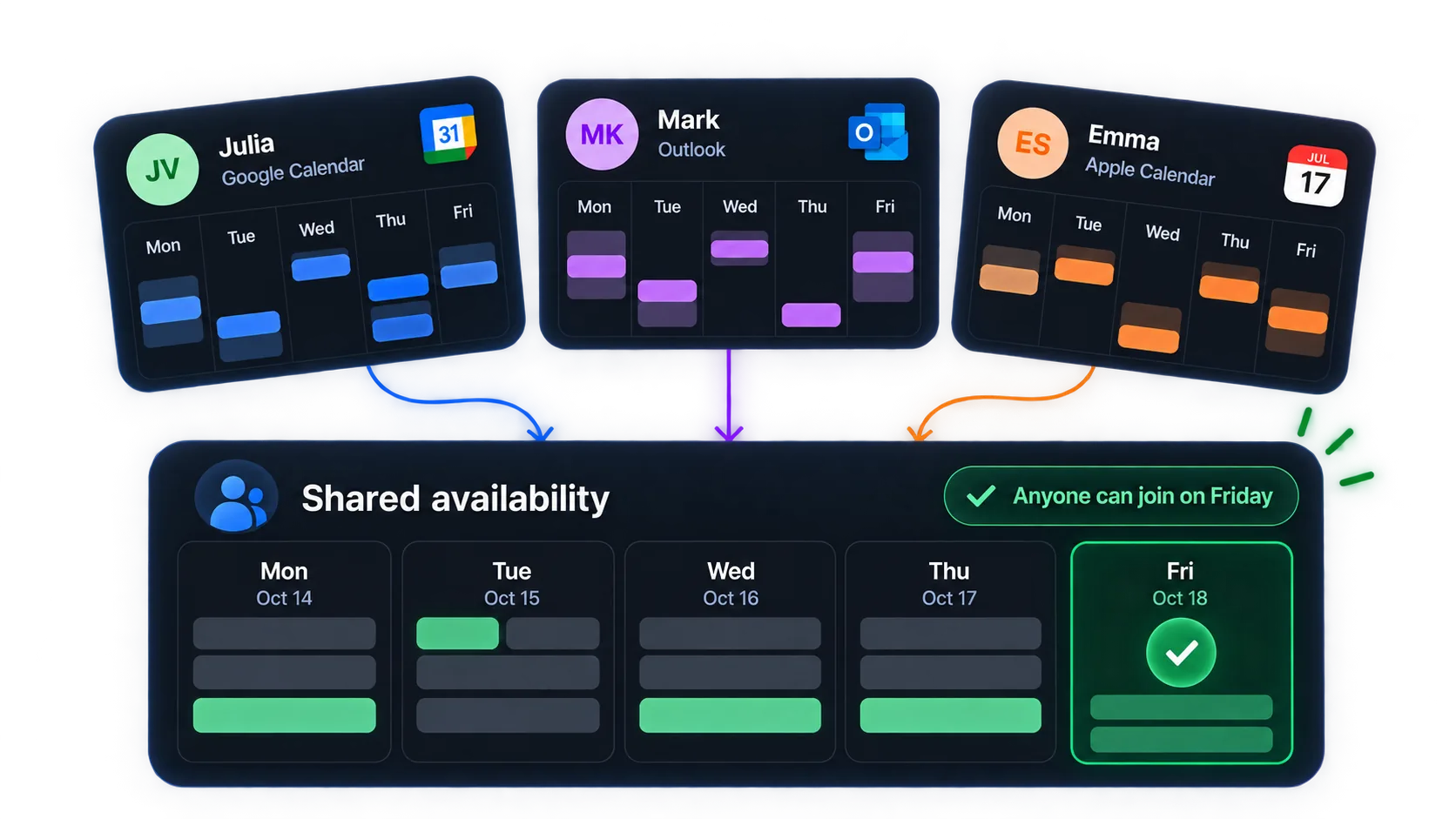
‘When are you free?’ in the group chat, followed by thirty messages and a poll half the group never fills in. The strange thing is that the answer is already in everyone's calendar. But you'd rather not share that calendar with your friends, your padel club or your in-laws.
Calindar solves this with one rule: we share availability, never calendars.
Designing for privacy
Make plans.
Keep your calendar private.
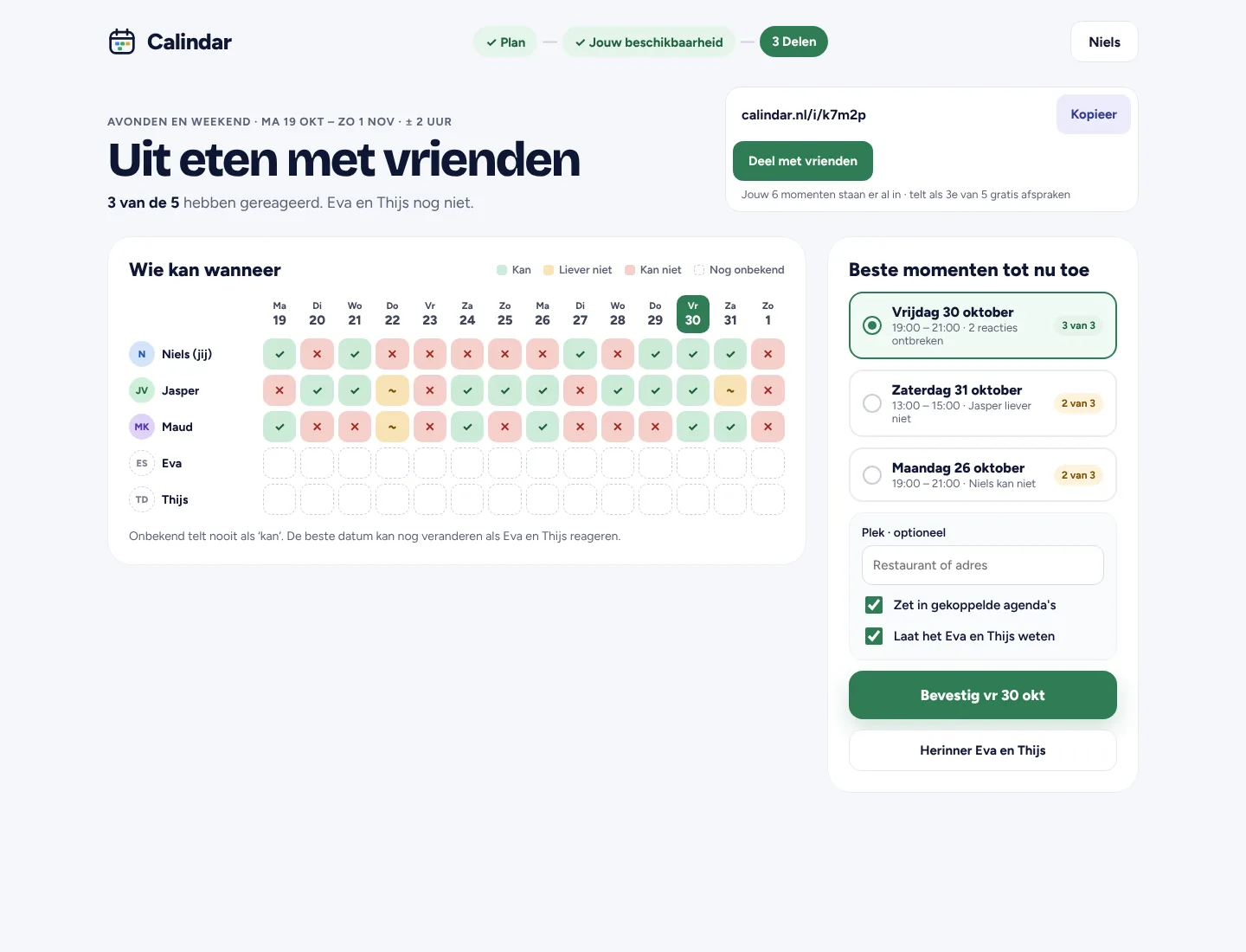
The group only needs to know when you're free. I designed a clear separation between your own calendar and the availability you share.
- You decide
- An open slot isn't a commitment. You confirm whether a proposed time works for you.
- Leave a group, remove your data
- When you leave, your group data and the events Calindar added for that group are removed.
Example · Friday evening
Your calendar
Only you can see this
Your group sees
Shared availability
The flow
From an idea to ‘it's happening’ in five steps.
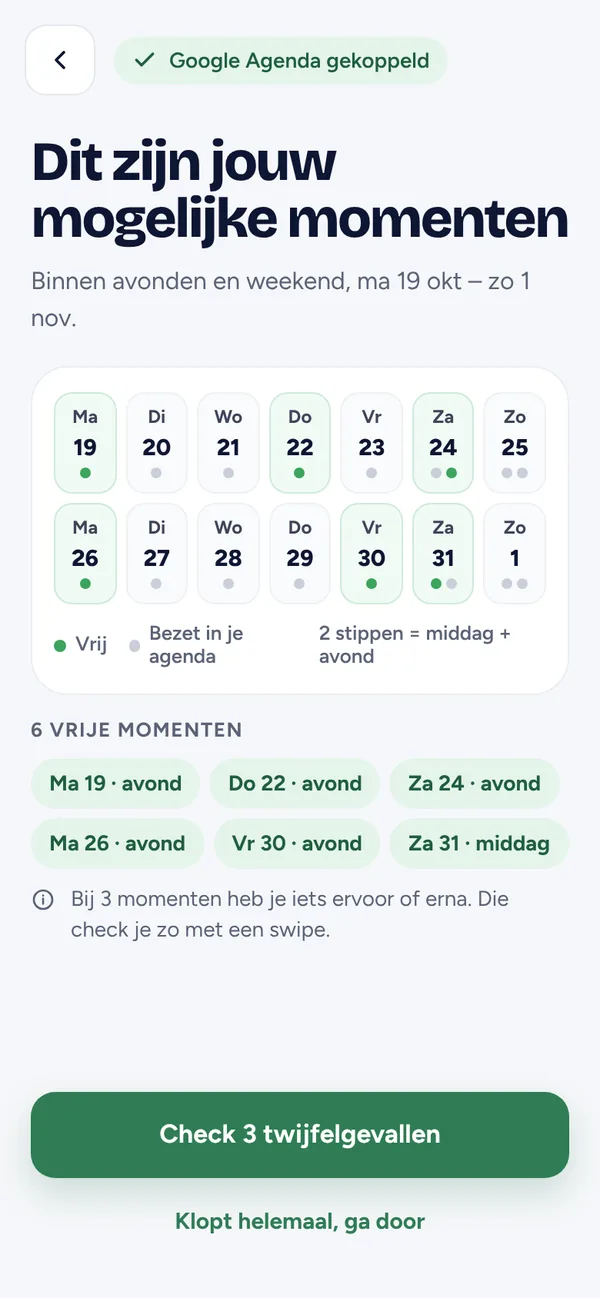
The organiser chooses what and when; everyone else responds through a link, even without an account. Review uncertain times with a swipe: your own calendar sits alongside the proposal on a timeline, and you decide whether it works.
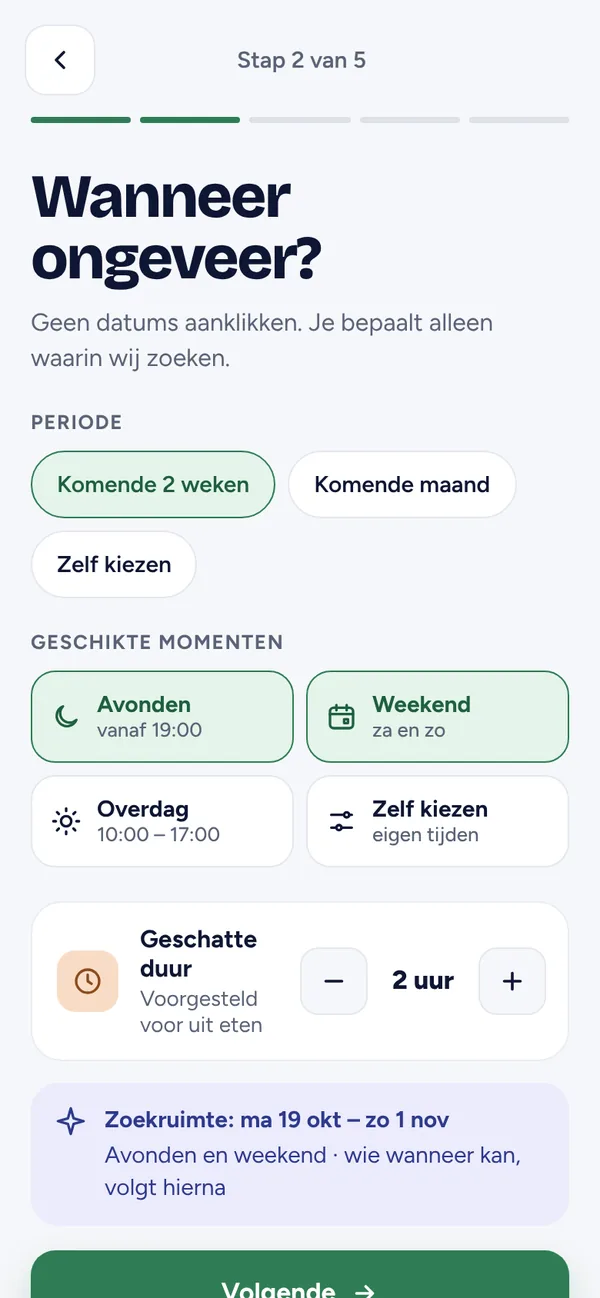
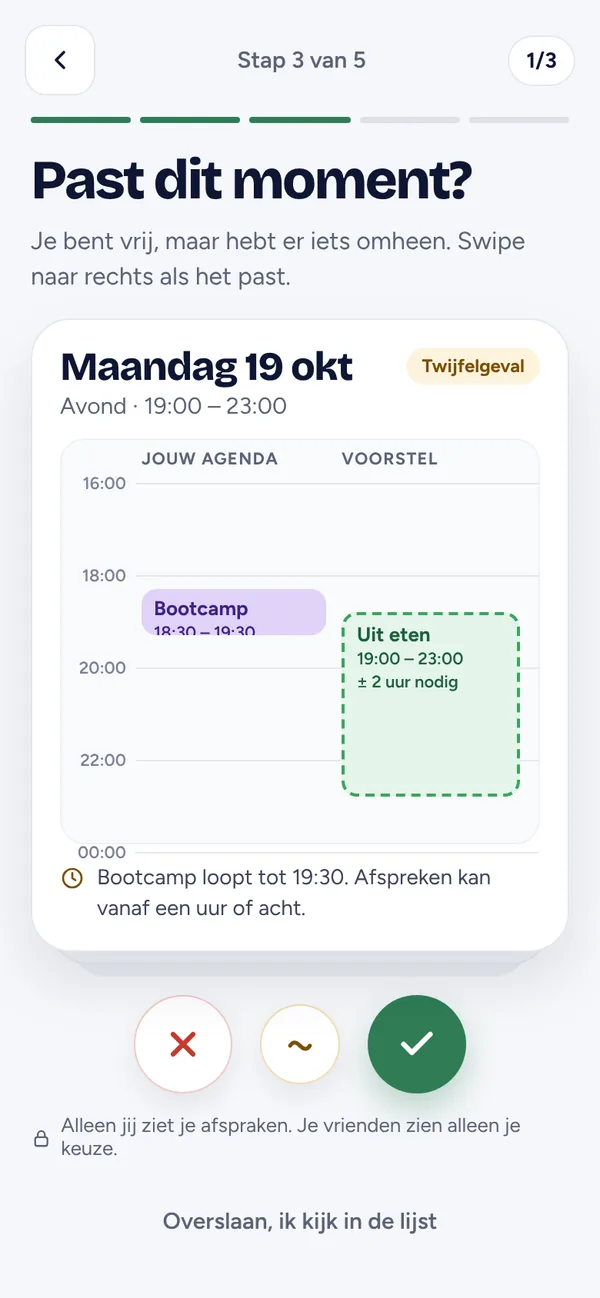
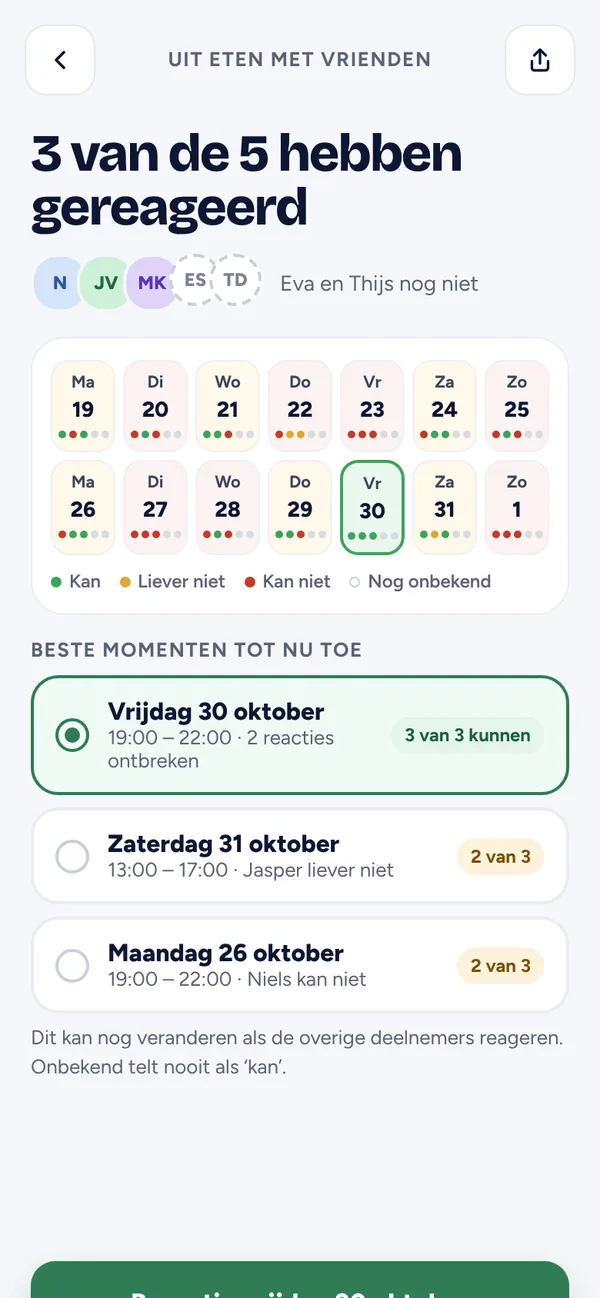
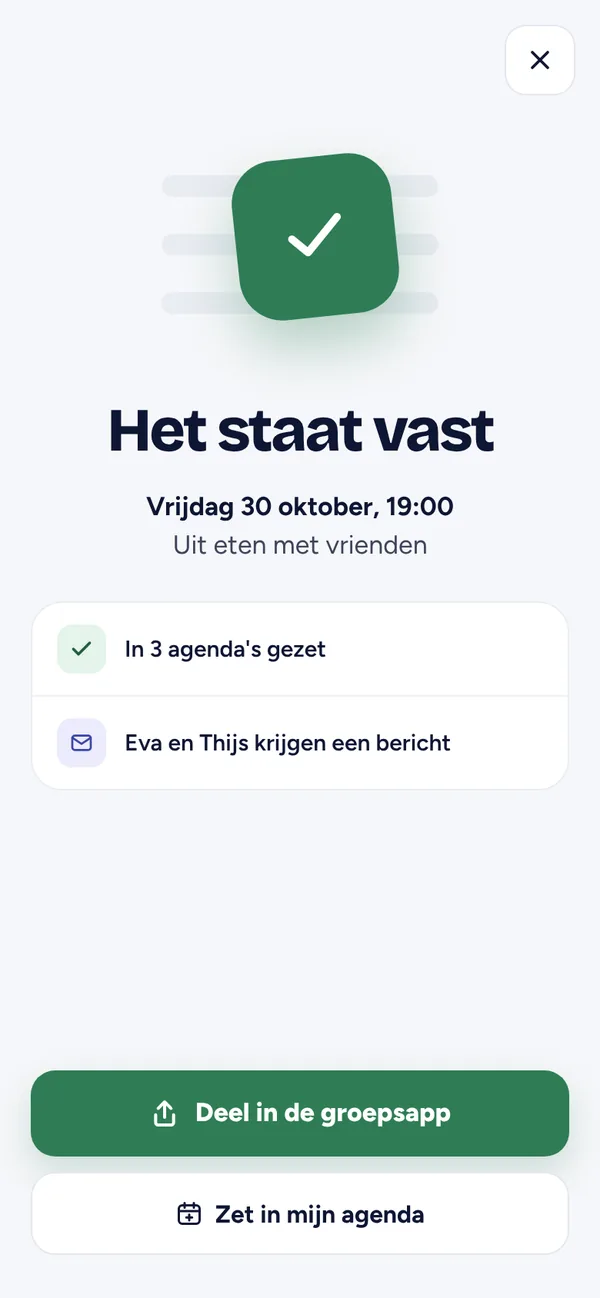
From planning to meeting up
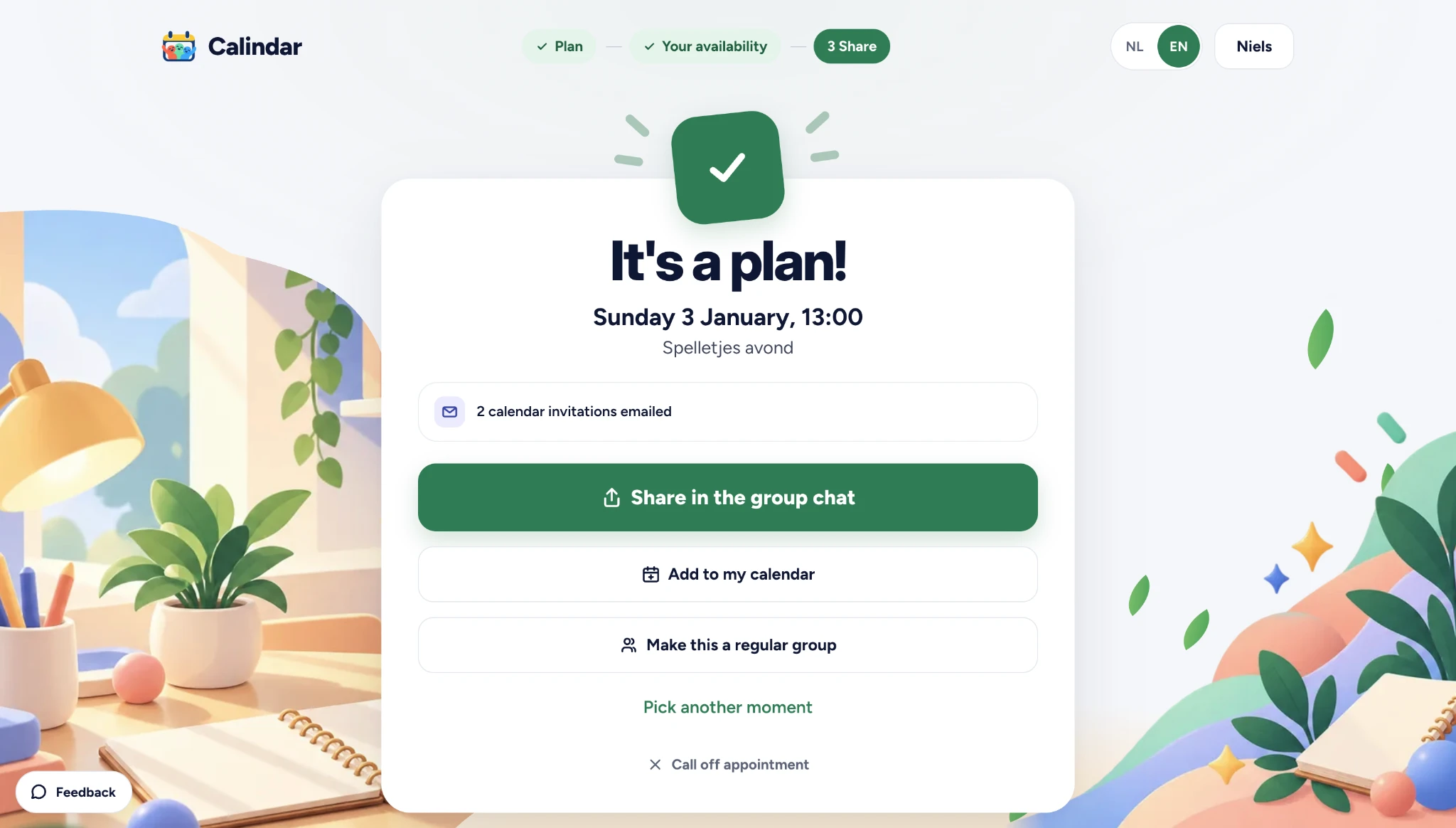
It's a plan.
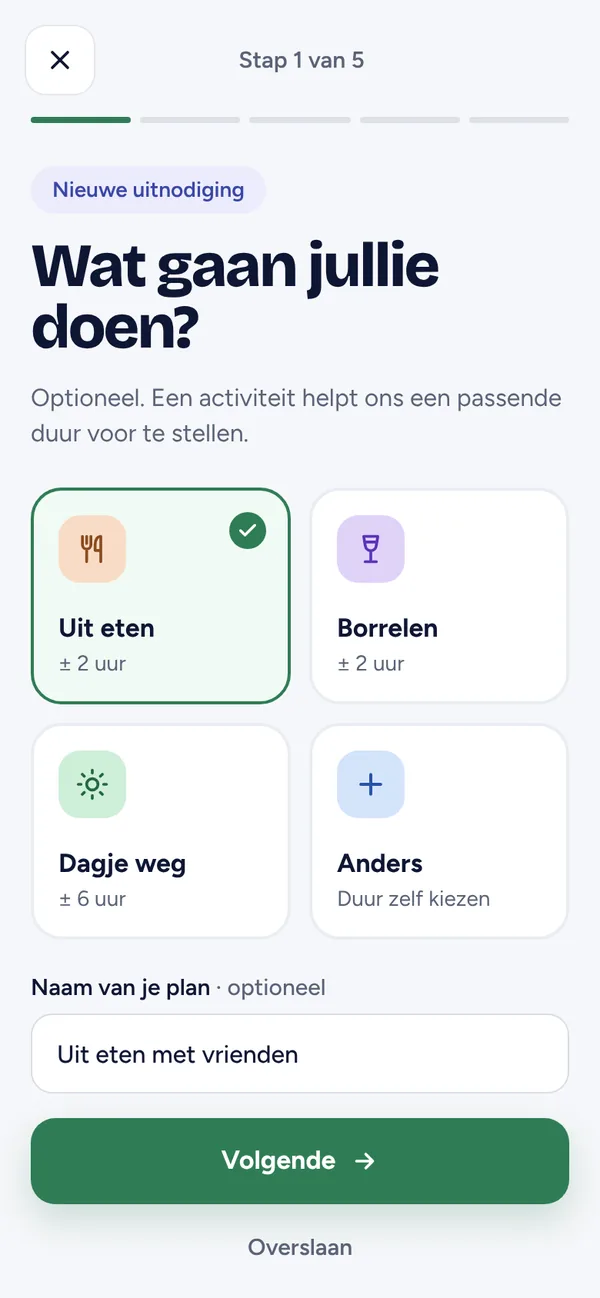
Once a time is chosen, everything comes together: share the plan in the group chat, add it to your calendar or keep the group for next time.
The process
The whole system first, then the screens.
Every flow on one canvas
36 mobile screens, 14 web pages
I started with a design canvas showing every invitation flow side by side: planning, responding, confirming, creating and joining groups, on mobile and web. This became a handover package with a screenshot for each screen, a specification of behaviour and rules, and design tokens for every colour and dimension.
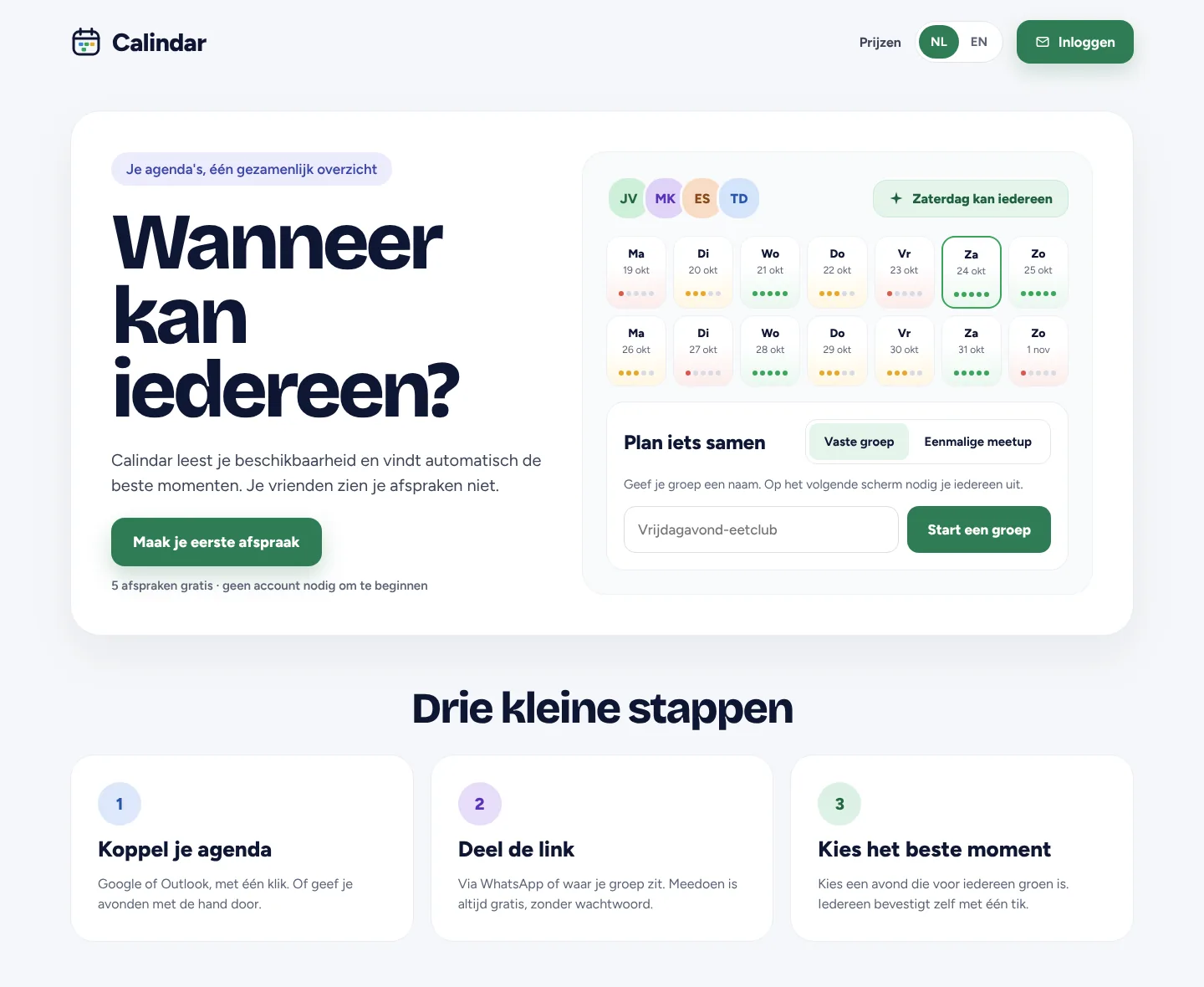
A friendly, clear visual language
Status at a glance
Green for ‘available’, orange for ‘prefer not’, red for ‘unavailable’ and grey for unknown, consistently throughout. Bold headings in Bricolage Grotesque, calm body text in Figtree, and slightly tilted group icons add a playful touch. The copy stays short: one sentence below a heading.
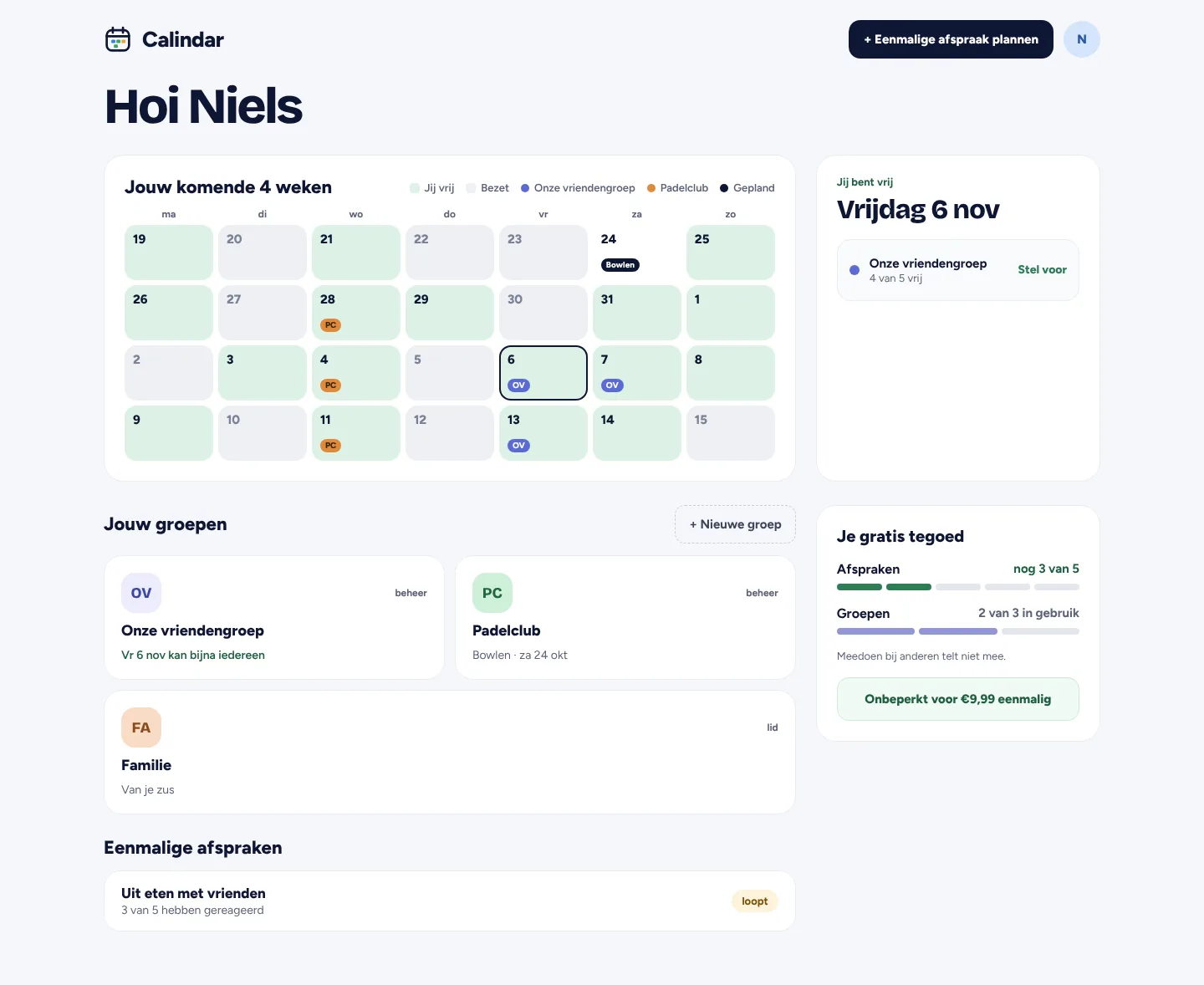
The four-week overview shows at a glance when you're free and which days are promising for your groups.
Built and tested
From design to a working service
Calindar runs as a web app with a Python backend (FastAPI) and a Postgres database, and as an iOS and Android app through Capacitor. Sign-in is passwordless: use Google, Outlook or an email code. With separate permission, Calindar can add confirmed events directly to your own calendar.
The business model is simple: each group gets three free events, and a one-off €4.99 payment unlocks unlimited planning. Joining and responding are always free.
- FastAPI
- Postgres
- Google Calendar API
- Microsoft Graph
- Capacitor
- Stripe
- NL / EN
- Light and dark
Calindar is currently in testing. Try it at calindar.nl.