
02 — InFrame
The moment and your reaction, in one photo.
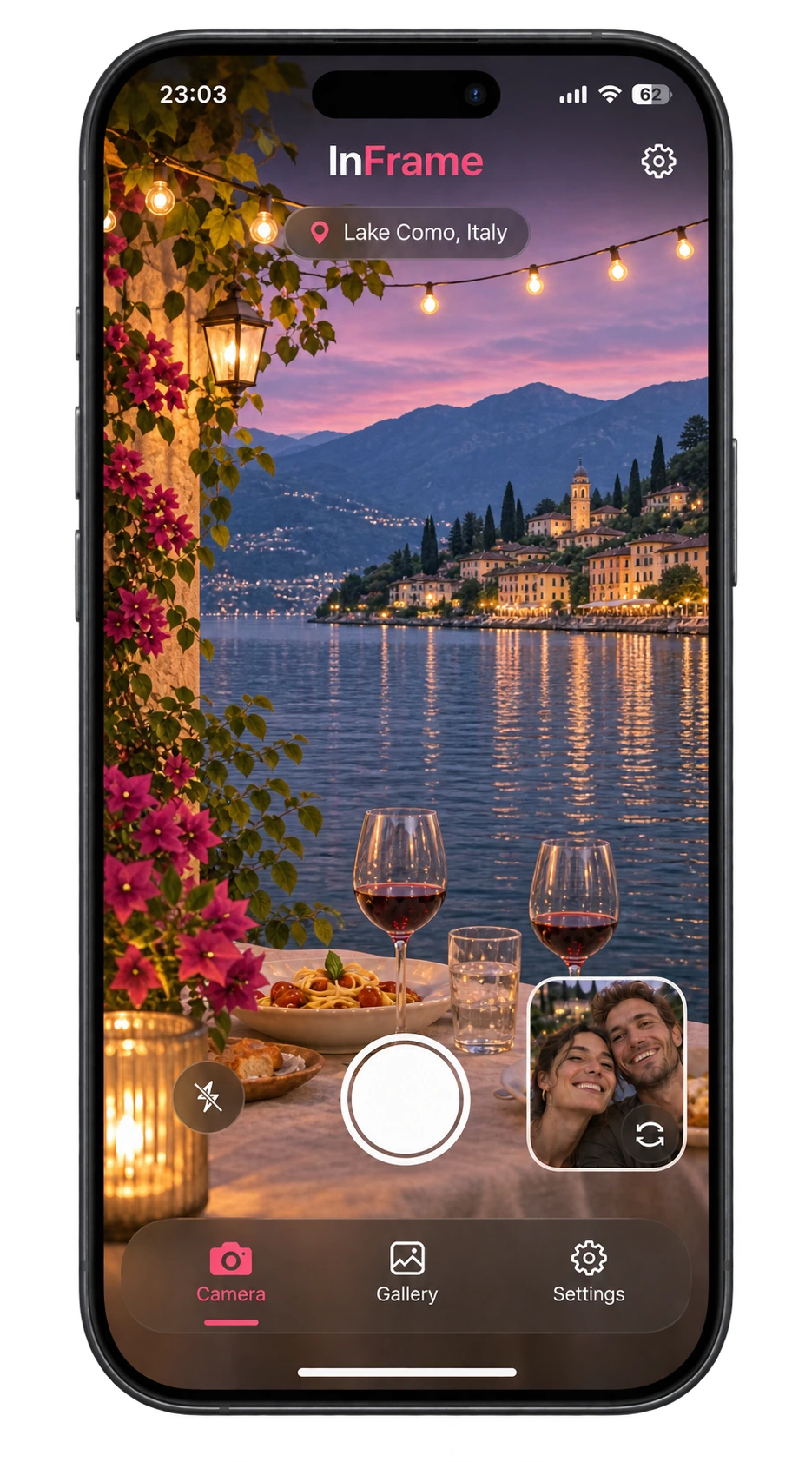
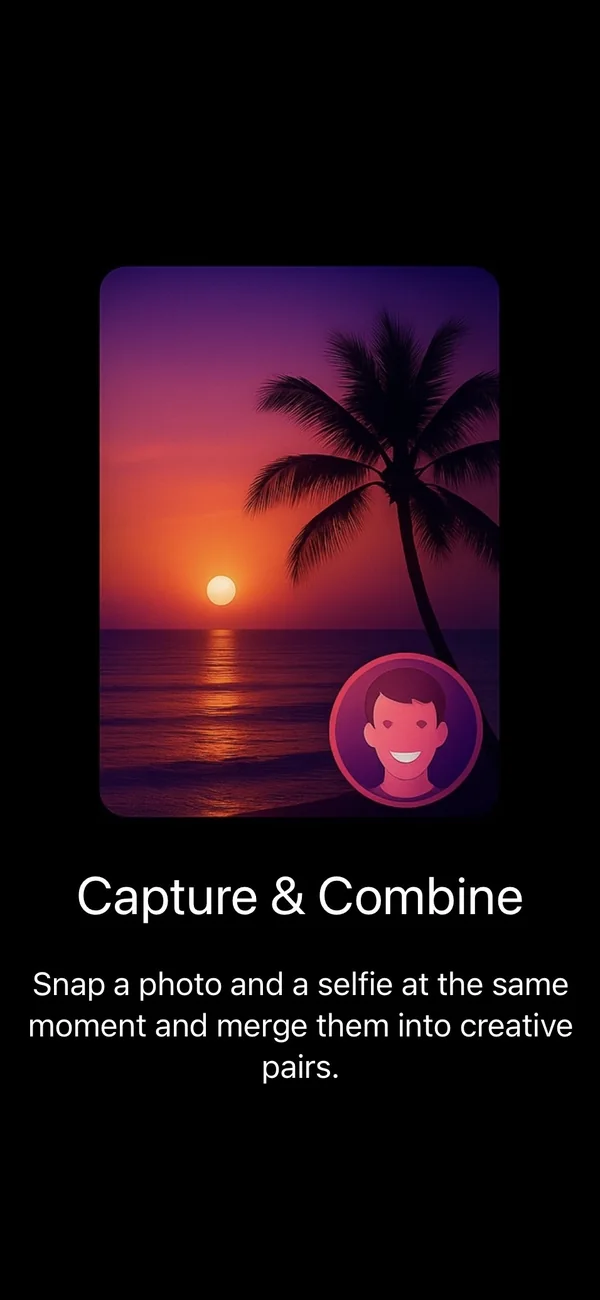
InFrame is an iPhone camera app for ‘context selfies’. First, the rear camera captures the scene, then the front camera captures you. InFrame automatically combines them into one photo, showing where you were and how you felt.
Download on the App Store- Role
- Designer & iOS developer
- Period
- August – October 2025
- Platform
- iPhone · SwiftUI · iOS 17+
- Status
- Version 1.3 · App Store
How it works
One tap, two cameras.
A regular selfie mostly shows you; a regular photo mostly shows the place. InFrame captures both in one go, without switching cameras or editing afterwards.

Smart camera
Automatically switches lenses, with pinch-to-zoom and a screen flash for the front camera in the dark.
Three layouts
Classic picture-in-picture, side by side, or diagonal. Choose a layout for each photo.
Place and date
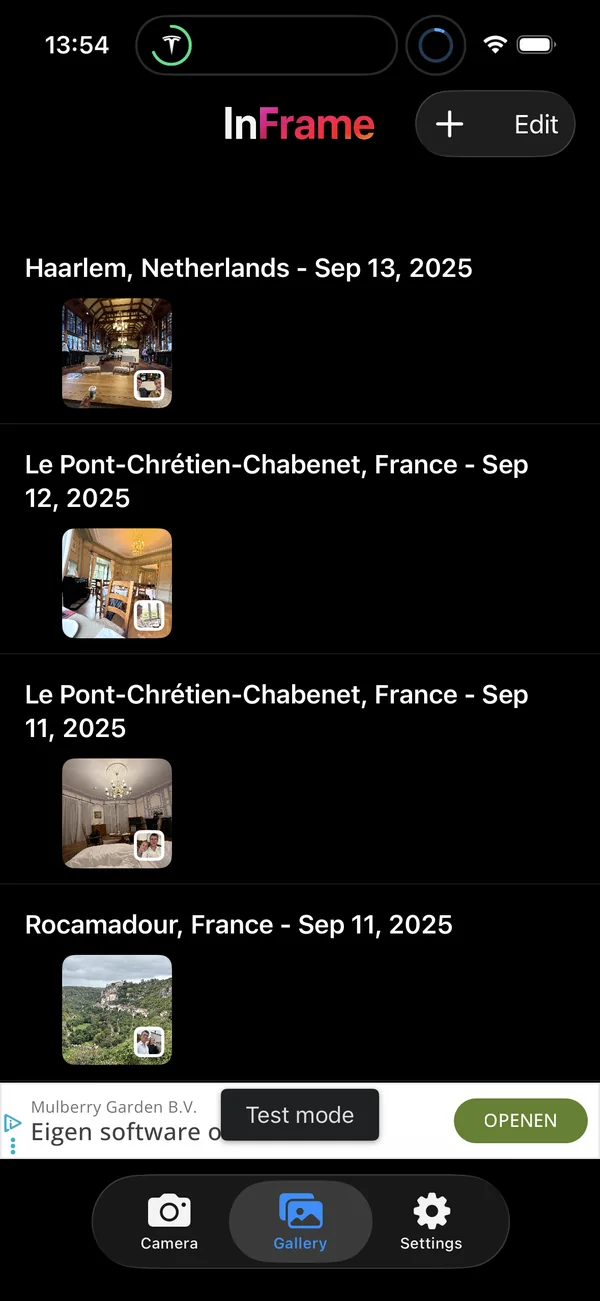
Optionally add a place name to each photo, with the gallery organising everything by place and date.
After the moment, too
Combine two photos from your library and optionally keep the originals alongside the result.
The process
From idea to App Store in two months.
InFrame is compact but complete: camera technology, privacy, purchases and ads. All designed and built by me.
A camera that shoots twice
AVFoundation
The camera uses AVFoundation: a rear-camera shot first, then an automatic switch to the front camera for the selfie. The app accounts for your phone's orientation so both photos line up correctly.
Combine and save
Photos, Core Data, Core Location
Compositing happens on the device. Results go to your photo library; the links between scene, selfie and location are stored locally, so the gallery can organise everything by place and date.
A business model that fits
StoreKit 2, AdMob
InFrame is free with ads. StoreKit lets you remove them with a monthly subscription or a one-off purchase. The app handles ad consent in line with Apple's requirements and the GDPR.

- months from first commit to release
- 2
- commits
- 263
- version on the App Store
- 1.3
- layouts for your photo
- 3
- SwiftUI
- AVFoundation
- Photos / PhotosUI
- Core Data
- Core Location
- StoreKit 2
- Google AdMob
- App Tracking Transparency
- Firebase Analytics